
Inside: All of the information you will need about the new entertainment brand Star on Disney+. Sponsored content.
I am a massive fan of everything Disney and have had Disney+ since it launched in 2020. I have been loving all of the new content they have been adding each month as well as reminiscing on my childhood with their massive back catalogue of Disney classics. Not to mention all of the other brands currently on the platform.
Star on Disney+ is the new general entertainment brand for Disney+. It promises 1000s of hours of viewing content, updated monthly, from old favourites to brand-new originals and exclusives – all within the Disney+ app.
It is the sixth brand to join the Disney+ family, alongside Disney, Pixar, Marvel, Star Wars, and National Geographic. Let’s take a look at why Star on Disney+ is going to become our go-to for entertainment and what it means for the app.
What is Star on Disney+?
Star on Disney+ is the sixth brand to be found on the Disney+ app, which up until now has focused its attention on family-friendly content with classic movies from Disney and Pixar, all of the amazing content from Star Wars and Marvel and a documentary element with National Geographic.
Those brands and their content have already provided hours and hours worth of entertainment over the last few months and so for Disney to be adding another channel is beyond exciting. It will keep us entertained for months and months to come.
Star on Disney+ is more adult-friendly and so adds a whole new element to the app, which will keep users coming back again and again. With other leading services having more adult-friendly content, it makes total sense that Disney+ would want to incorporate that into their platform too.
What content can I expect from Star?
Star on Disney+ is being advertised as a general entertainment brand and has lauched with over 75 TV series, more than 280 movies, and four exclusive Star Originals. I am really excited to see more of these based on the content we already know and love from Disney.
Star on Disney+ will be showing Disney-owned content from Disney Television Studios (20th Television and ABC Signature), FX Productions, and 20th Century Studios, Searchlight Pictures and more so this opens up more possibilities within the brand.

This will mean we get to enjoy fan-favourite TV series like Grey’s Anatomy, 24, The X-Files, Lost, Family Guy, Desperate Housewives, Prison Break, Scrubs, The Killing, How I Met Your Mother, Buffy the Vampire Slayer and many more.
There will also be award-winning movies like The Favourite and The Grand Budapest Hotel, along with classics such as Pretty Woman, Die Hard 2, The Devil Wears Prada, and Moulin Rouge.

Their original content will include: Big Sky, from visionary storyteller
David E. Kelley (Big Little Lies, The Undoing) and Love, Simon spin-off series Love, Victor, written by the film’s original writers Isaac Aptaker (This Is Us) and Elizabeth Berger (This Is Us).
There is an adult animated sitcom Solar Opposites from the makers of Rik & Morty as well as a drama series, Helstrom executive produced by Paul Zbyszewski along with Karim Zreik and Jeph Loeb.
They will be adding new content every month so there will always be something new to keep you entertained should you ever run out of things to watch.
Setting up Star on the Disney+ app
You will be prompted to update your app when you open it for the first time after 23rd February 2021. Once you’ve done that, you will be met with a new home screen:
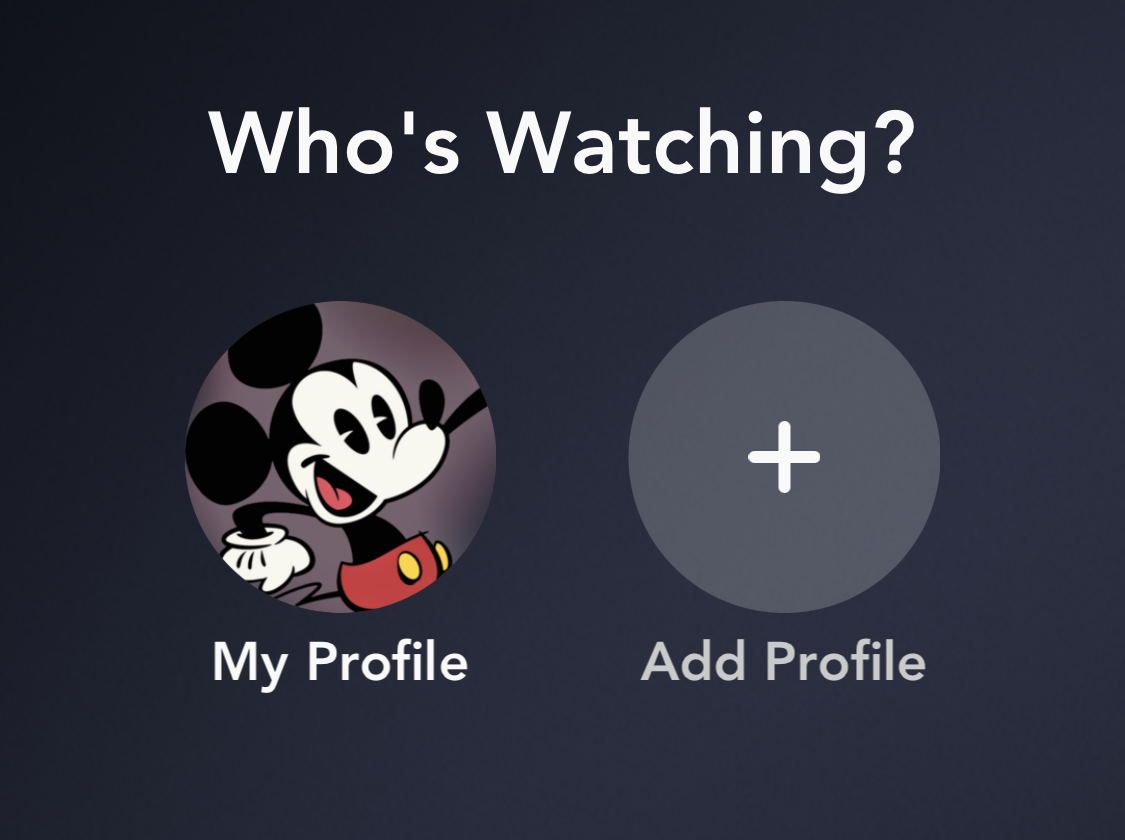
I’ll address adding a new profile in the next section but for now let’s look at setting up your existing profile.
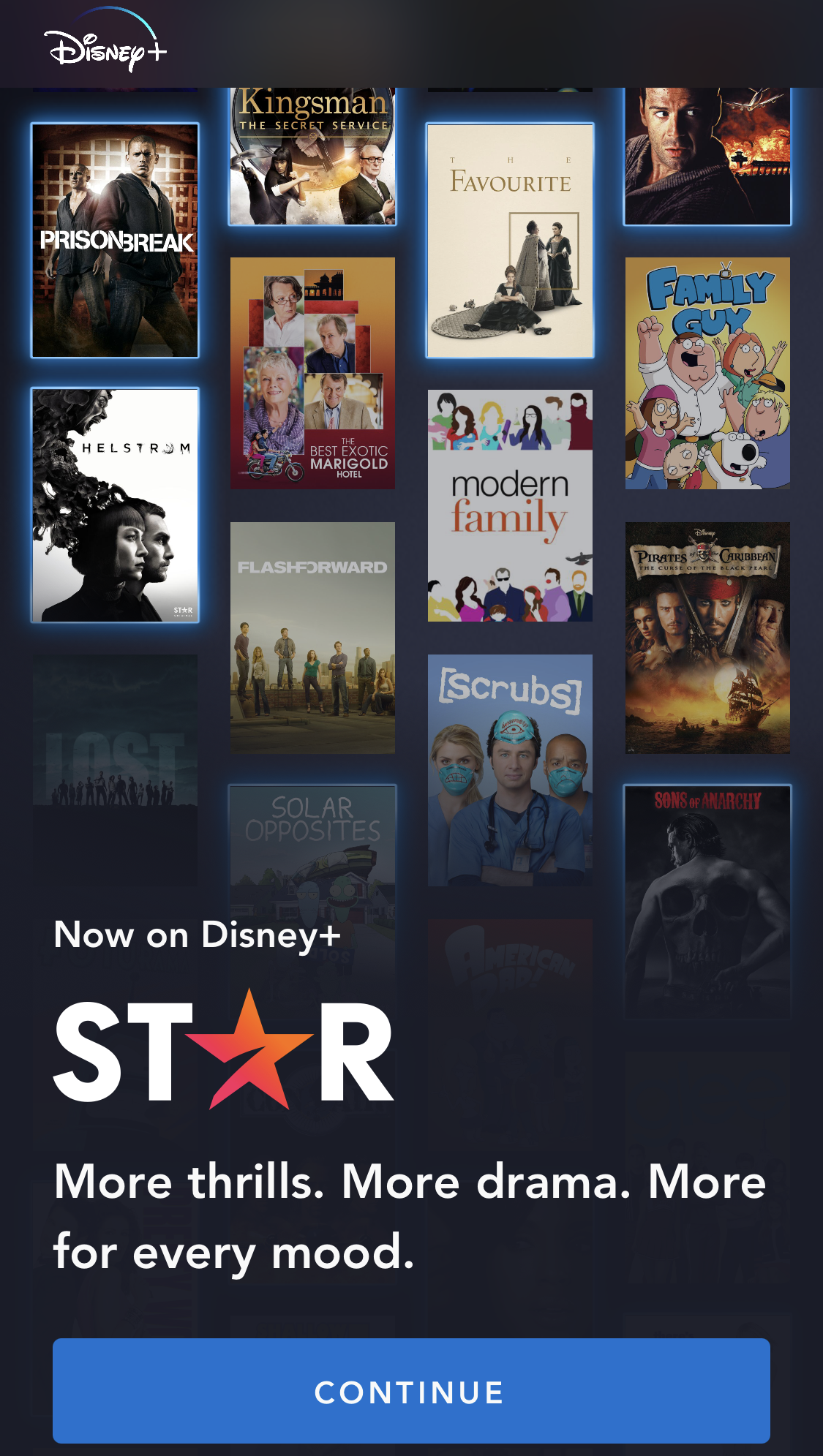
Once you click on your profile, you will be greeted with the same screen as usual, except it will quickly open up the ‘Star’ tab and bring you to the screen shown above.

Clicking on continue will bring up the next screen, which invites you to have access to the full catalogue. This means you will have access to everything rated 18+ and below. If you select ‘not now’ your rating will remain at 14+.
You can change the settings of your profile to lower the content rating at any time. All you have to do is click on ‘edit profiles’ within the home screen.

You will then be prompted to confirm these changes by entering the password associated with your Disney+ app.
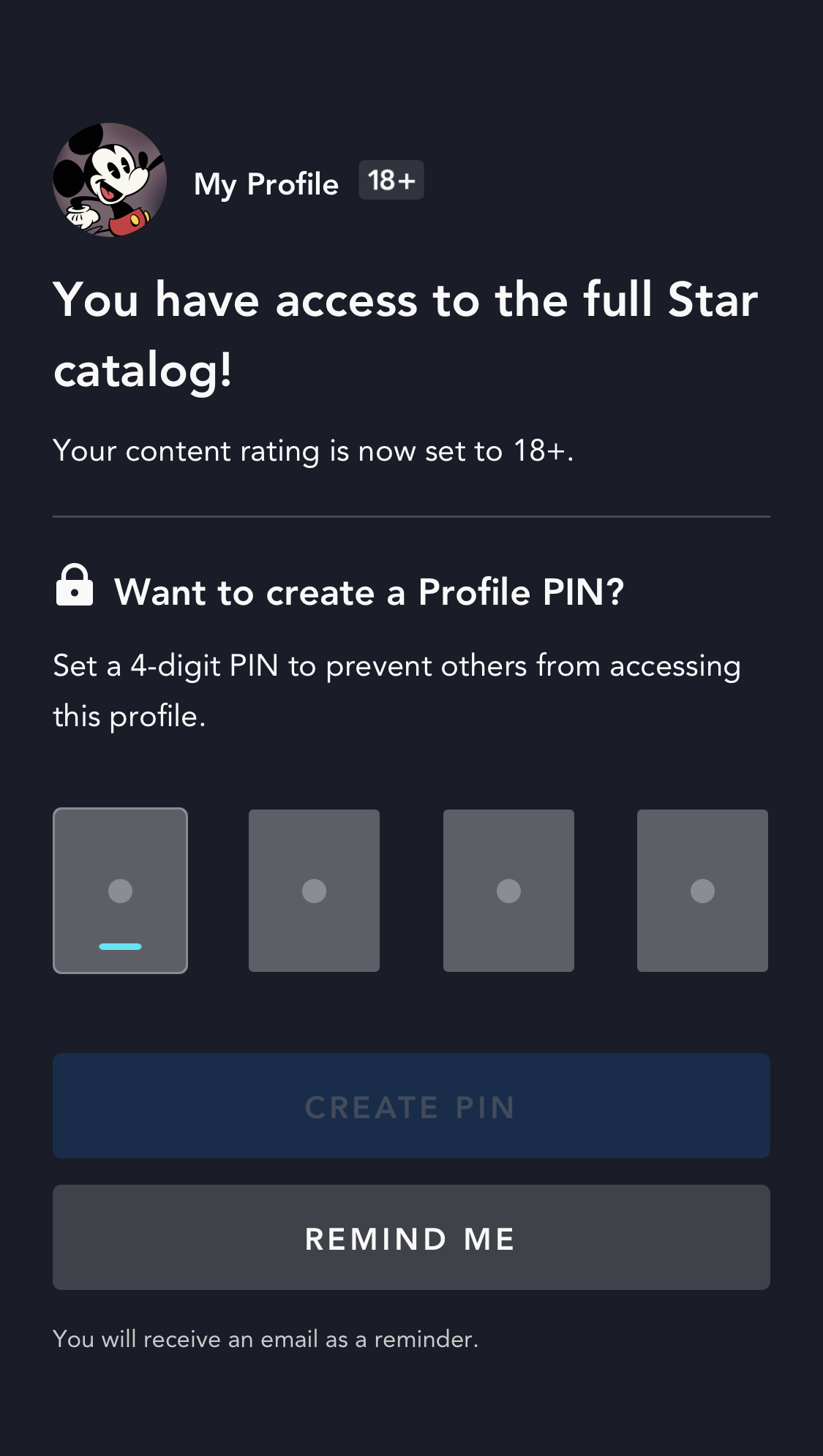
The app then prompts you to set a pin for your profile – ensuring no little fingers accidentally gain access to adult content when using the app to find their favourite shows and movies (more on parental controls below).

You will then see your usual homepage, showing “New to Disney+,” “Star Highlights”, “Recommended, For You,” “Trending” rows, and much more.
How can I keep my children from watching content they shouldn’t?
Obviously, with the inclusion of adult-friendly content, Disney+ needed to ensure that the platform remained suitable for everyone in the family. That is why, on the day Star launched, robust parental controls were introduced on the app and they are so easy to use.
As well as the pin mentioned above, you can now create up to 7 profiles for different members of your family. These can be tailored to the requirements of each person to make sure it is age-appropriate.
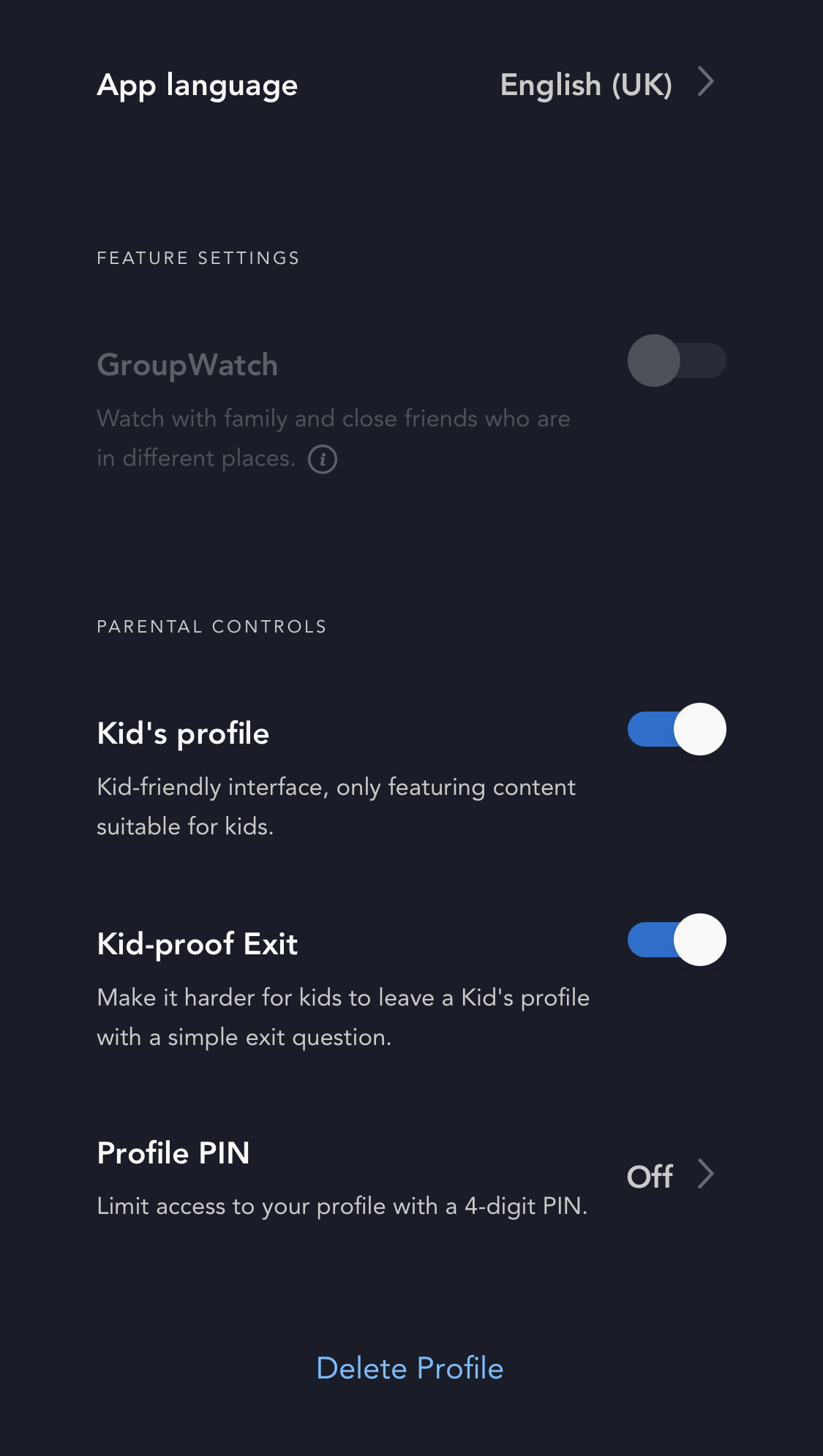
The easiest way to do this is by creating a new profile and toggling ‘kid’s profile’ to ON. This will ensure all of the content they are shown is kid-friendly and appropriate for their age with all content being suitable for ages 7 and below.
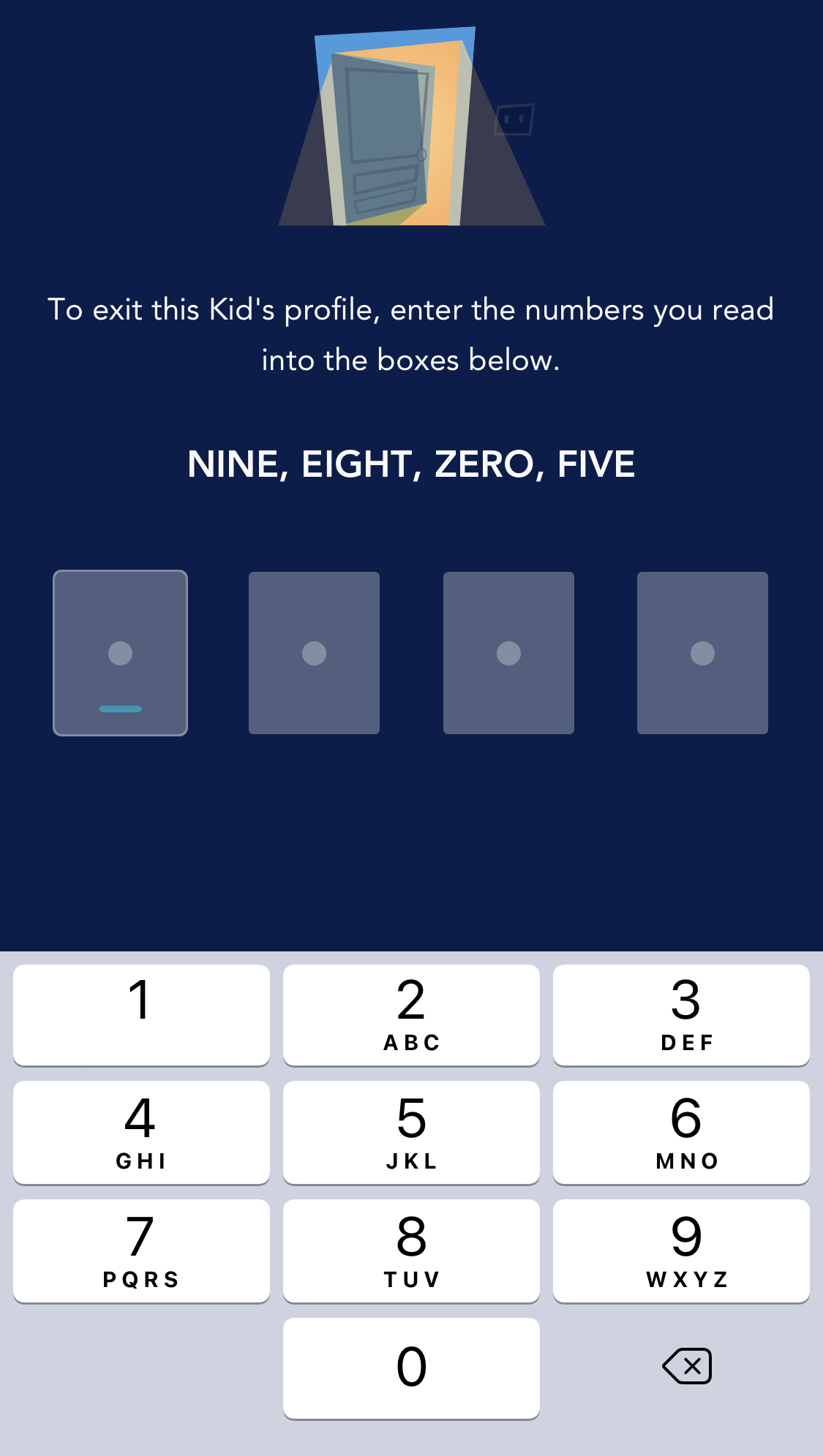
You can also make it harder for them to leave their profile by toggling ‘kid-proof exit’ to the ON position. This will prompt a random sequence of 4 numerals to be typed in by reading them as written numbers.
They will then be given their own home page with all of the content they know and love, organised in a child-friendly way.

As a parent, I much prefer this layout as I know I can let the kids loose on the app and they won’t click on anything that up until now could have been potentially rated between 7 and 14+.
The alternative, let’s say you have an older child / teen in the family, is to create a new profile and set the content rating to a lower age. That way, they can have access to older content but will still be kept safe from inappropriate content for their age group.

So for us as a family, our eldest will be having a profile set to 9+ whereas our younger two will have theirs set to the kids profile as they are fine with everything under 7.
They won’t be able to change the content rating as that requires your master password to be inputted each time a change is made.
Will Star cost me more a month?
If you are an existing user then the current price of £5.99 a month will be honoured until August 23rd 2021 (or on the renewal date for annual subscribers). After that time the price will be increased to £7.99 a month, in line with the price for new users.
You can pay monthly or you can pay anually at a price of £79.90. Full details on how to subscribe are available on Disneyplus.com.
The price increase is still in line with other streaming services and with the platform offering so many brands with different series’ and movies, I personally think it is excellent value for money.
I hope you’ve found this useful. Find out more about Disney+ in my in-depth look at what is on offer with new of latest releases to the platform updated regularly. To sign up head over to www.disneyplus.com to find out how.

This post is sponsored by Disney+ but all words and thoughts are my own as always.
Hannah
Thursday 25th of February 2021
Ooh we only just got Disney+ and I didn't even know about Star! Def going to check it out, thanks! 😊
Jade Karly Staff
Thursday 25th of February 2021
Thanks for this post, it was really great to see how to use Star. We are so excited that Disney+ is expanding!
Joy - Pinkoddy
Thursday 25th of February 2021
Oh I am so pleased that they have really thought about the safety aspect of it. I am certainly not ready for my boys to watch Deadpool even.
Emma kay
Wednesday 24th of February 2021
Looks great x
Carys
Wednesday 24th of February 2021
This is so helpful! Thanks for sharing. I can't wait to check it out. The timing of this is so great - we got Disney+ to keep us sane with the kids at home, but the addition of Star gives us parents some more stuff to watch!